The TOPDON Phoenix Plus is worth considering for repair shops and serious DIY users who need advanced diagnostics.
A basic code reader can tell you why a warning light came on. But it may not tell you what caused the problem. This can make car repairs slow and costly. You may need to visit a repair shop just to get more details about a fault.
A professional scan tool can help solve this problem. It can read data from many vehicle systems and offer more ways to test faults. For US drivers, home mechanics, and small repair shops, the Phoenix Plus may offer a useful step up from a basic OBD2 reader.

Is the TOPDON Phoenix Plus Good?
The TOPDON Phoenix Plus is a capable diagnostic tool aimed at users who need more than basic engine code reading. Its main appeal is its wider diagnostic coverage and access to advanced service functions. It is designed to help users find faults across supported vehicle systems.
I would consider it for a small repair shop or an experienced home mechanic. It can help reduce the need for several basic scan tools. However, its real value depends on vehicle support, software access, and the functions included with the exact version you buy.
One important point is that advanced diagnostic features do not work on every car in the same way. Some functions depend on the make, model, year, and system. Buyers should check the official coverage list before placing an order.

My First Impression of the Phoenix Plus
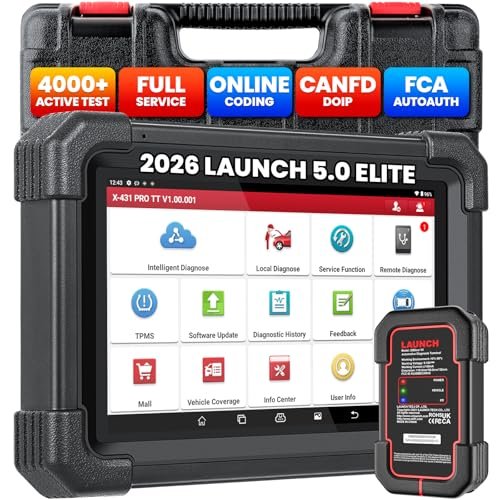
The Phoenix Plus follows the tablet-style design used by many professional scan tools. This layout gives users room to view fault codes, live data, and test results. It also makes navigation easier than using a small handheld code reader.
TOPDON offers diagnostic equipment with dedicated software and vehicle connection hardware. Before buying, check the package contents. Look for the tablet, diagnostic connector, cables, charging parts, and any other items listed by the seller.
Setup is an important part of the buying process. Users may need to charge the device, connect to Wi-Fi, register an account, and install available software updates. A stable internet connection can help with updates and online services.
I would not judge the tool by its screen alone. The real test is how well it connects to your car and how clearly it shows useful data. Check the return policy in case your vehicle does not support the functions you need.

Key Features of the TOPDON Phoenix Plus
- Full System Diagnostics: The Phoenix Plus is designed to scan supported vehicle systems beyond the engine. Depending on the vehicle, this may include the transmission, ABS, airbag, body, and other electronic modules. This wider view can help users find faults that a basic OBD2 reader may miss.
- Bidirectional Control: Bidirectional control lets a scan tool send commands to supported vehicle modules. This can help a mechanic test parts and systems during fault checks. Available commands depend on the vehicle and its software support.
- Live Data Monitoring: Live data lets users view information from vehicle sensors while the engine or other systems run. This can help when a fault does not appear all the time. Users can look at sensor readings and compare them with normal values for the vehicle.
- Active Component Tests: Active tests can help users check certain parts without replacing them first. A supported test may let the user command a component and watch its response. This can save time during diagnosis, but users should follow the correct test steps.
- Service Functions: The tool is aimed at users who need access to more than fault codes. Service functions can include maintenance and reset tasks for supported vehicles. The exact list varies by make, model, year, and software version.
- Diagnostic Reports: Diagnostic reports help users keep a record of scan results. These records can make it easier to explain a fault to a customer or compare results after a repair. Report options and sharing features depend on the software.
- Wireless Vehicle Connection: The diagnostic connection setup is intended to make vehicle scanning more convenient. It can reduce the need to keep the tablet close to the OBD2 port during supported work. Buyers should check the included connector and its connection method before ordering.
- Software Updates: Diagnostic software needs updates as vehicle systems change. Software updates can add coverage, improve functions, and address known issues. Check the included update period, renewal terms, and any extra fees before buying.

✅ What I Like
- ✔ Broad diagnostic coverage can help users check several vehicle systems with one tool instead of relying on a basic engine code reader.
- ✔ Bidirectional controls can make fault checks more useful by allowing supported components to respond to test commands.
- ✔ Live data can help users study sensor readings and spot problems that may not show up through stored fault codes alone.
- ✔ Service functions offer more value to mechanics who perform routine maintenance and electronic reset tasks.
- ✔ A tablet-style interface provides more room to read diagnostic details and review test results.
- ✔ Diagnostic reports can help repair shops keep records and explain findings to customers.
- ✔ Software updates can help maintain useful vehicle coverage when the update plan remains active.
⚠️ What Could Be Better
- ✖ Advanced functions vary by vehicle, so buyers may not get the same level of support across every car in their garage.
- ✖ Software updates and future renewals may add to the long-term cost. Buyers should check the terms before purchasing.
- ✖ The number of features may feel overwhelming for beginners who only want to read and clear basic engine codes.

Who Should Buy the TOPDON Phoenix Plus?
I would put this scan tool on the list for mechanics who work on several vehicle brands. Its wider diagnostic approach can help with jobs that need more than a simple code check. It may also suit experienced DIY users who want to understand their car’s electronic systems.
For a small repair shop, one advanced scanner can be a useful part of the daily tool kit. It may help with fault checks, live data, and supported active tests. Still, the tool should match the vehicles that come into the shop most often.
I would not recommend buying it just because it has many features. Start with the jobs you do most. Then check whether the Phoenix Plus supports those tasks on your vehicles. This is the best way to judge its value.
| Best For | Why It Fits |
|---|---|
| Small Auto Repair Shops | Its wider system diagnostics and supported active tests can help with different repair jobs and fault checks. |
| Experienced DIY Mechanics | It offers more diagnostic detail than a basic OBD2 reader for users who know how to read vehicle data. |
| Independent Auto Technicians | It can support daily diagnostic work across compatible vehicles without relying only on engine code checks. |
| Automotive Students | It can provide a useful way to learn about vehicle modules, live data, and supported diagnostic tests. |

Alternative Products You Can Consider
| Product | Best For | Key Difference |
|---|---|---|
| TOPDON Phoenix Plus | Advanced DIY users and small repair shops | Offers a professional-style diagnostic approach with broad system access and supported active tests. |
| Autel MaxiCOM MK808S | DIY mechanics and independent technicians | Uses the Autel diagnostic platform and its own vehicle coverage and service functions. |
| LAUNCH X431 PROS V5 | Professional repair shops | Uses the LAUNCH X431 platform and provides a different mix of diagnostic and service functions. |
| TOPDON Phoenix Lite 2 | Users comparing TOPDON scanner options | Offers a different product tier, so hardware and supported functions need a direct comparison. |

Final Verdict: Should You Buy the Phoenix Plus?
The TOPDON Phoenix Plus is worth considering if you need a serious diagnostic scanner for regular repair work. Its main appeal is the ability to look beyond basic engine codes. Full system diagnostics, live data, and supported active tests can make it a useful tool for experienced users.
I would choose it for a small workshop or a home mechanic who works on several vehicles. However, a basic OBD2 scanner may be enough for someone who only wants to check the engine light. The biggest thing to consider is vehicle coverage. Confirm that the exact model supports your required tests, then compare the update terms and total cost with other scanners.