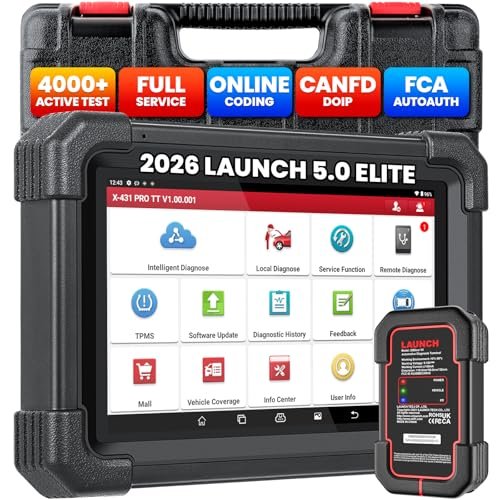
TOPDON ONE Plus leads for broad shop diagnostics and ECU coding, while SM2 PRO suits focused bench and boot work.
Imagine a customer brings a late-model Ford, Chevy, or Toyota into your American repair shop. The engine runs poorly, a warning light stays on, or a replacement ECU needs attention. A basic code reader may show the fault, but it cannot handle every programming task. You need a tool that can communicate with control modules, read and write ECU data, and support the right service process. The Best Professional ECU Programming Tools can help, but the right choice depends on your vehicle coverage, software, and repair needs.
🏆 Top 3 Products

TOPDON ONE Plus OBD2 Scanner, Diagnostic Tool with ECU Programming & Coding | Professional Bidirectional Scan Tool, 50+ Reset, J2534 Pass-Thru/DoIP, Car Scanner with topology Mapping, 2 Year Free Update
Its advertised J2534 pass-thru, ECU coding, DoIP, bidirectional tests, and broad diagnostic features make it a strong all-round shop choice.

XTOOL D9S PRO ECU Programming/Coding Scan Tool, Bidirectional, Topology Map | AI-Assisted Wireless Automotive Diagnostic Scanner, 45+ Services, High Speed Scan, FCA/DoIP/CAN FD, Full System, 3-Yr Update
Its advertised full-system diagnostics, wireless operation, topology mapping, and broad vehicle communication features suit busy repair shops.

SM2 PRO J2534 ECU Programming Tool, 67 Protocol OBD2 Diagnostic Interface, Bench & Boot Mode ECU Read/Write Device, Automotive ECU & Transmission Programming Scanner
Its listed 67-protocol interface and bench and boot functions offer an appealing feature set for technicians who need focused ECU work.
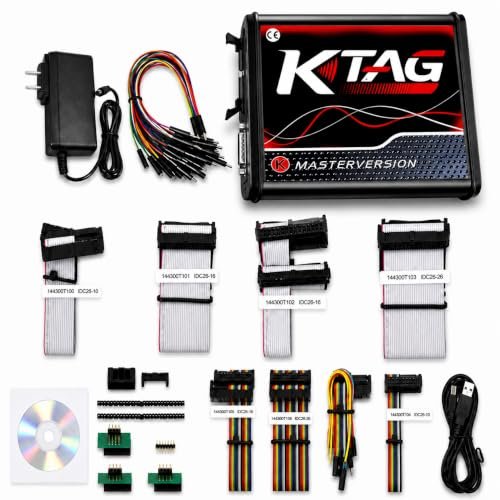
V7.020 Offline ECU Flash Programmer Kit

The ECU Programming Tool V7.020 V2.25 is an offline ECU flash programmer kit for technicians who want a more direct way to work with vehicle control units. Its listing highlights ECU read and write functions, data backup, repair, and bench and boot modes. These features target work that goes beyond a basic OBD2 code scan. The kit also lists adapters and cables, which may help with different connection setups when the correct ECU and protocol support exists.
One point that stands out is its offline design. A shop may prefer a dedicated laptop and a controlled work setup for ECU data tasks. The listing names Windows XP, 7, 8, and 10, so buyers should check software compatibility before they install anything. I would treat this as a specialist kit, not a universal ECU solution. Its real value depends on the supported ECU list, software quality, cable fit, and access to clear technical instructions.
✅ Pros
- ✔ The listed offline workflow may suit shops that want to perform ECU data work without relying on a constant internet connection.
- ✔ Read and write functions support the basic data transfer tasks needed for compatible ECU service and repair work.
- ✔ Bench and boot modes offer more connection options than a simple OBD2-only diagnostic reader.
- ✔ The stated backup function gives technicians a way to save original ECU data before they attempt a supported operation.
- ✔ The included adapter and cable kit may reduce the need to source several basic connection accessories separately.
- ✔ The V7.020 V2.25 version gives buyers a clear software version to ask the seller about before purchase.
⚠️ Cons
- ✖ The listing does not provide a complete vehicle and ECU compatibility chart, so buyers must confirm support before ordering.
- ✖ Windows XP and older Windows versions can create security and software support concerns on a modern shop computer.
- ✖ The listing does not clearly establish official software licensing, update access, warranty terms, or long-term technical support.
My Recommendation
I would consider this kit for an experienced technician who already understands ECU backup, bench connections, and safe flash procedures. It may suit a shop that handles compatible control modules and wants an offline read and write setup. However, I would not buy it based on the version number or cable count alone. Ask for the exact supported ECU list, software license details, installation guide, and recovery process first. Among the Best Professional ECU Programming Tools, this one makes the most sense when its specific ECU coverage matches your daily work.
| Best For | Why |
|---|---|
| ECU Repair Shops | Its advertised read, write, backup, and repair functions suit focused ECU service work. |
| Bench Programming | The listed bench and boot modes offer options for compatible ECU connection tasks. |
| Offline Workflows | Its offline design may suit technicians who prefer a dedicated local programming setup. |
SM2 PRO J2534 ECU Programming Interface
The SM2 PRO J2534 ECU Programming Tool targets technicians who need an OBD2 interface with more than basic code reading. Its listing advertises 67 protocols, ECU read and write, bench mode, boot mode, and transmission programming support. That combination gives it a wider stated role than a standard consumer scanner. It may appeal to independent repair shops, ECU specialists, and technicians who work with compatible vehicle control modules.
The J2534 label is important because it points to a pass-thru communication approach. However, the interface alone does not provide every manufacturer programming function. The correct software, vehicle coverage, security access, and subscription may still be required. I would also check what the seller means by 67 protocols. That number does not automatically mean support for 67 vehicle brands or every ECU from those brands.
✅ Pros
- ✔ The advertised J2534 interface gives it a role in supported pass-thru programming workflows.
- ✔ The stated 67-protocol coverage suggests a broad communication feature set worth checking against your shop’s vehicle mix.
- ✔ Bench mode may help technicians work with compatible modules outside the normal vehicle connection.
- ✔ Boot mode adds another possible access method for supported ECU recovery and data operations.
- ✔ The listed read and write functions make it relevant to technicians who need more than diagnostic code access.
- ✔ The product title also mentions transmission programming, which may interest shops that service multiple electronic control systems.
⚠️ Cons
- ✖ The advertised protocol count does not confirm exact vehicle coverage, ECU support, or successful programming on every model.
- ✖ J2534 operation may require separate OEM software, paid subscriptions, and a compatible Windows computer.
- ✖ The listing alone does not confirm update terms, official certification, technical support, or the quality of the included software.
My Recommendation
I would place this SM2 PRO model on the shortlist for a technician who needs a mix of OBD2 communication and ECU bench or boot work. It has an attractive advertised feature set, especially for a specialist who already knows which protocols and modules the shop needs. Before buying, request a current compatibility list and a clear explanation of the required software. The Best Professional ECU Programming Tools should fit real repair jobs, not just display impressive protocol numbers on a product page.
| Best For | Why |
|---|---|
| Independent Repair Shops | The listed J2534 and OBD2 features may support several types of electronic service work. |
| ECU Specialists | Bench, boot, and read/write functions target more advanced control module tasks. |
| Transmission Technicians | The listing specifically mentions transmission programming support. |
SM2 PRO Bench And Boot ECU Interface
This second SM2 PRO listing describes a J2534 OBD2 diagnostic interface with bench and boot modes. Its title also mentions ECU read and write functions. The product appears very close to the previous SM2 PRO listing, and both use the same supplied product image. I would not assume that the two listings contain different hardware or software just because they have different Amazon product IDs.
For a professional buyer, the key issue is what comes with this exact listing. Check the hardware revision, firmware, cable set, protocol support, and software access. A bench and boot interface can be useful for compatible ECU work, but it needs the correct connection details and a stable power supply. I would compare the seller’s answers with the first SM2 PRO listing before choosing either one.
✅ Pros
- ✔ The product title clearly identifies J2534 and OBD2 communication as its main interface features.
- ✔ Bench and boot modes may support ECU access tasks that a basic diagnostic scanner cannot perform.
- ✔ The advertised read and write functions target technicians who work with ECU data files.
- ✔ Its specialist focus may suit a workshop that already has a clear bench programming process.
- ✔ The similar SM2 PRO product listing gives buyers another offer to compare for price, seller terms, and included accessories.
- ✔ The stated feature set may support a useful addition to an existing diagnostic setup when compatibility checks pass.
⚠️ Cons
- ✖ The supplied title gives little detail about how this listing differs from the other SM2 PRO offer.
- ✖ No complete supported vehicle, ECU, or transmission list appears in the supplied product information.
- ✖ Buyers need to confirm software licensing, firmware updates, warranty coverage, and technical support with the seller.
My Recommendation
I would compare this listing directly with the previous SM2 PRO model before spending money. Ask the seller whether both offers use the same board, firmware, cables, and software package. If they are identical, choose based on seller reputation, return terms, and verified support rather than the product ID. If they differ, request the exact changes in writing. This is a reasonable option to consider for bench and boot work, but it needs more proof before I would call it the better SM2 PRO version.
| Best For | Why |
|---|---|
| Bench ECU Work | Its listed bench mode may suit compatible control module service tasks. |
| Boot Mode Users | The product title specifically names boot mode as a supported function. |
| Careful Buyers | It gives buyers another listing to compare against the closely related SM2 PRO offer. |
KESS V5.017 OBD2 ECU Flash Tool

The KESS V5.017 programming tool is listed as an OBD2 ECU programming device with V2.8 software and an unlimited token claim. Its main purpose appears to be ECU programming through a vehicle diagnostic connection. This type of tool may interest technicians who already know their ECU families and programming workflow. However, the product title does not provide enough detail to confirm exact vehicle support, supported control units, or the full range of available operations.
I would pay close attention to the unlimited token claim before buying. A token is a form of usage allowance in some programming systems, but an unlimited claim does not prove that the software is genuine or fully supported. Ask whether the hardware is authentic, whether the software has a valid license, and whether updates are available. Also check for safe file recovery options. A low purchase price means little if the tool cannot complete a supported job safely.
✅ Pros
- ✔ The product title identifies an OBD2-based ECU programming workflow for technicians who need that connection method.
- ✔ The listed V5.017 hardware version and V2.8 software version give buyers specific details to verify with the seller.
- ✔ The unlimited token claim may interest users who want to avoid repeated usage fees if the claim is genuine and supported.
- ✔ Its focused programming design may suit a technician who already understands ECU file handling and vehicle compatibility.
- ✔ An OBD2 connection can offer a convenient workflow for compatible vehicles that support the required programming method.
- ✔ It may serve as a specialist tool alongside a separate full-system diagnostic scanner.
⚠️ Cons
- ✖ The unlimited token claim needs proof and should not be treated as a guarantee of unlimited supported programming.
- ✖ The listing does not establish official hardware status, current software licensing, or access to reliable updates.
- ✖ The supplied information does not show a complete vehicle list, supported ECU types, or recovery procedures.
My Recommendation
I would only consider this KESS listing if I could confirm its authenticity, software source, and exact vehicle coverage first. It may suit an experienced ECU technician who understands the risks of flashing and has a proven workflow for the target vehicle. I would avoid treating it as a beginner tool or a universal programmer. Ask for clear proof of licensing and support, and avoid installing unknown software on the main computer used by your shop.
| Best For | Why |
|---|---|
| Experienced ECU Technicians | Its focused OBD2 programming design suits users who already understand ECU flash work. |
| Known ECU Applications | It may fit a workflow built around verified vehicle and ECU compatibility. |
| Specialist Tool Collections | It can be considered as an additional interface rather than a complete diagnostic solution. |
ECU Flash Tool With Read And Write Support

This ECU Programmer Tool focuses on reading and writing ECU data, with backup and restore functions listed as key features. Its product title also mentions a complete cable kit and professional automotive maintenance use. That makes it relevant to technicians who want a dedicated device for compatible ECU data tasks. It is not presented as a full diagnostic tablet with topology mapping, bidirectional tests, or a long list of service functions.
The backup and restore features deserve attention because a safe programming workflow starts with preserving the original data. Still, the listing does not name specific ECU families, supported vehicles, or operating systems. It also does not explain whether the software includes licensed protocols or requires another application. I would ask for these details before purchase. A complete cable kit sounds helpful, but the cables only matter when they match the control module and the supported programming method.
✅ Pros
- ✔ The stated ECU read and write functions make the product relevant to data transfer and programming tasks.
- ✔ The advertised backup feature may help technicians preserve original data before a supported repair or update.
- ✔ The restore function offers a stated path for returning saved data when the software and ECU support that operation.
- ✔ The complete cable kit may provide several connection accessories in one package.
- ✔ Its focused design may suit a shop that already owns a separate scanner for fault diagnosis.
- ✔ The product description targets ECU maintenance rather than general consumer code reading.
⚠️ Cons
- ✖ The supplied title does not identify exact vehicle coverage, ECU types, or programming protocols.
- ✖ No software version, operating system requirements, or update policy appears in the product information.
- ✖ The complete cable kit claim does not confirm that every required ECU adapter is included.
My Recommendation
I would consider this tool for a technician who wants a basic ECU read, write, backup, and restore device. It may suit a smaller repair business that handles a known group of compatible vehicles and already owns a separate diagnostic scanner. However, I would request a full cable inventory and a supported ECU list first. If the seller cannot provide those details, I would choose a tool with clearer software and compatibility information. Reliable support matters more than a long feature list.
| Best For | Why |
|---|---|
| Small Repair Shops | Its listed ECU data functions may complement an existing diagnostic setup. |
| ECU Backup Tasks | The product specifically advertises data backup and restore features. |
| Cable Kit Buyers | The listing describes a complete cable package for supported ECU connections. |
V7.020 ECU Data Backup And Restore Tool

The ECU Data Service Tool V7.020 V2.25 is aimed at automotive repair workshops that need ECU data backup and restore functions. The listing describes it as offline maintenance equipment and mentions a complete cable kit. This makes it different from a general OBD2 scanner that focuses on reading fault codes and displaying live data. Its stated purpose is more specific: helping technicians work with supported vehicle control unit data.
I like the idea of a dedicated backup workflow, but the product details leave some important questions open. The title does not clearly list supported ECU models, programming modes, or the software license terms. It also does not state that every vehicle can use its restore feature. Before buying, I would request a sample compatibility list and ask how the tool handles interrupted operations. Those details matter when a control module holds data needed for the vehicle to run.
✅ Pros
- ✔ The advertised backup and restore functions target common ECU data service needs.
- ✔ The offline design may suit a dedicated workstation that does not need constant internet access.
- ✔ The V7.020 V2.25 version gives buyers a specific software version to verify before ordering.
- ✔ The complete cable kit may reduce the need to purchase basic connection leads separately.
- ✔ The product is aimed at repair workshops rather than casual vehicle owners.
- ✔ Its focused data service role may complement a separate full-system diagnostic scanner.
⚠️ Cons
- ✖ The listing does not provide enough information to confirm exact ECU coverage or supported vehicle models.
- ✖ The product title does not clearly identify bench, boot, or direct OBD2 programming support.
- ✖ Software licensing, updates, recovery support, and warranty details need confirmation from the seller.
My Recommendation
I would shortlist this product for a workshop that needs an offline ECU backup and restore device. It may suit technicians who handle known, supported modules and want a separate tool for data service work. I would not assume that it offers the same programming modes as the V7.020 flash kit listed earlier. Ask the seller to explain the difference between the two models, including their software, cables, and supported operations. That comparison will help you avoid buying two tools that do the same job.
| Best For | Why |
|---|---|
| Automotive Workshops | The listing targets workshop use and ECU data maintenance. |
| Backup And Restore Work | These are the main functions stated in the product title. |
| Offline Workstations | The offline design may fit a dedicated ECU service computer. |
TOPDON ONE Plus ECU Programming Scanner
The TOPDON ONE Plus stands out as one of the most complete products in this group. Its title lists ECU programming and coding, bidirectional control, J2534 pass-thru, DoIP, topology mapping, and more than 50 reset services. It also advertises two years of free updates. This broad feature set makes it interesting to shops that need both diagnostic work and selected electronic service functions from one professional tool.
The main benefit is its wide role. A technician can use a compatible professional scanner to inspect vehicle systems, view faults, run supported active tests, and perform selected coding or service tasks. However, I would not confuse ECU coding with every type of ECU flashing. J2534 pass-thru programming may still need manufacturer software, a paid subscription, and vehicle-specific access. I would check the exact programming support for the brands your shop sees most often.
✅ Pros
- ✔ The advertised J2534 pass-thru function makes it relevant to supported manufacturer programming workflows.
- ✔ The product title specifically lists ECU programming and coding as key functions.
- ✔ Bidirectional control can help technicians test supported vehicle components instead of only reading fault codes.
- ✔ Topology mapping may help users view communication links between supported vehicle control modules.
- ✔ DoIP support adds a modern vehicle communication feature for compatible applications.
- ✔ More than 50 listed reset services may cover a wide range of common maintenance tasks.
- ✔ The advertised two-year free update period offers a defined update window to compare with other tools.
⚠️ Cons
- ✖ J2534 hardware does not automatically include every manufacturer’s programming software or subscription.
- ✖ ECU coding and configuration do not mean the tool can flash every ECU on every vehicle.
- ✖ Some functions may vary by vehicle brand, model, year, and control module.
- ✖ The two-year update offer should be checked for its exact start date and renewal cost.
My Recommendation
This is my overall pick among the listed Best Professional ECU Programming Tools for a shop that needs a broad diagnostic and coding platform. Its J2534, DoIP, bidirectional, topology, and reset features give it a useful mix of functions. I would choose it for an independent repair shop that handles many vehicle systems and needs selected ECU programming support. Before ordering, check the official vehicle coverage, OEM software requirements, update terms, and any extra subscription costs.
| Best For | Why |
|---|---|
| Multi-Brand Repair Shops | Its advertised full diagnostic and service feature set targets broad workshop use. |
| ECU Coding Technicians | The listing specifically mentions ECU programming, coding, and J2534 pass-thru. |
| Advanced Diagnostics | Bidirectional tests, topology mapping, and DoIP add useful diagnostic options. |
XTOOL D9S PRO ECU Coding Scan Tool
The XTOOL D9S PRO is a professional bidirectional diagnostic scanner with ECU programming and coding features listed in its product title. It also advertises topology mapping, wireless operation, more than 45 service functions, and full-system diagnostics. Its communication features include FCA, DoIP, and CAN FD. The listing also mentions AI-assisted functions and a three-year update period, making it an appealing option for a shop that wants a modern diagnostic platform.
Its biggest strength is the mix of diagnostic features. A full-system scanner can help technicians inspect multiple control modules, while bidirectional tests can support fault checks on compatible systems. Topology mapping may also make complex network faults easier to understand. Still, the phrase ECU programming needs careful attention. I would verify which vehicles support actual programming, which support coding only, and which need an external manufacturer application before treating this as a complete ECU flash solution.
✅ Pros
- ✔ The advertised full-system scan feature targets technicians who need access to more than the engine control module.
- ✔ Bidirectional control may help users test supported components during diagnosis.
- ✔ Topology mapping offers a visual way to inspect supported vehicle communication networks.
- ✔ Wireless operation may make it easier to move around a vehicle during workshop diagnosis.
- ✔ The listed FCA, DoIP, and CAN FD features cover several modern communication needs.
- ✔ More than 45 advertised service functions may reduce the need for separate tools for common maintenance tasks.
- ✔ The stated three-year update period gives buyers a clear update offer to compare.
⚠️ Cons
- ✖ The advertised ECU programming feature does not confirm direct flash support for every vehicle or module.
- ✖ Service functions and coding options can vary by vehicle model, year, and installed control unit.
- ✖ The product title does not establish whether separate OEM subscriptions or software purchases are needed.
- ✖ Wireless convenience does not remove the need for a stable connection and safe power supply during programming.
My Recommendation
I would recommend the XTOOL D9S PRO to a professional technician who values full-system diagnostics, bidirectional tests, and modern vehicle communication features. It is especially interesting for shops that want a wireless workflow and a visual view of supported vehicle networks. It earns a place among the Best Professional ECU Programming Tools for its advertised coding and programming features, but buyers should confirm the exact flash functions separately. I would compare its three-year update terms and vehicle coverage with the TOPDON ONE Plus before making a final choice.
| Best For | Why |
|---|---|
| Professional Diagnostic Shops | Full-system scans and bidirectional tests target advanced vehicle troubleshooting. |
| Wireless Workshop Use | Its advertised wireless operation can make vehicle checks more flexible. |
| Modern Vehicle Systems | The listed DoIP and CAN FD features target compatible newer communication systems. |
TOPDON ONE Professional ECU Coding Tool

The TOPDON ONE is another professional diagnostic platform in this product group. Its listing highlights a 10.1-inch display, bidirectional testing, J2534 pass-thru, topology mapping, full-system scanning, and ECU coding. It also advertises more than 50 reset services. These features suggest a tool aimed at professional technicians who need a large screen and a broad range of diagnostic functions in a single device.
The J2534 feature gives this model an important role in supported pass-thru workflows. The full-system scan and topology map may also help technicians find communication faults across vehicle modules. However, I would check the difference between this model and the TOPDON ONE Plus before choosing either one. Their product titles share several features, but the supplied information does not confirm identical hardware, software, update terms, or vehicle coverage.
✅ Pros
- ✔ The advertised 10.1-inch display offers a large screen for viewing diagnostic information and test results.
- ✔ J2534 pass-thru support may suit compatible manufacturer programming workflows.
- ✔ ECU coding is specifically included in the listed product features.
- ✔ Bidirectional testing may help technicians check supported vehicle components during diagnosis.
- ✔ Topology mapping offers a visual way to review supported control module communication.
- ✔ Full-system scanning targets more complete vehicle fault checks than a basic engine-only reader.
- ✔ More than 50 reset services may support a range of common workshop maintenance tasks.
⚠️ Cons
- ✖ The supplied product title does not state a clear update period or future renewal cost.
- ✖ J2534 pass-thru use may need separate OEM software and manufacturer access.
- ✖ The listing does not confirm direct bench or boot ECU programming modes.
- ✖ Some coding and service features may not work on every vehicle in the same way.
My Recommendation
I would consider the TOPDON ONE for a shop that wants a large-screen diagnostic platform with coding and pass-thru features. It may be a good fit for technicians who perform full-system checks, active tests, and supported reset services throughout the day. I would compare it closely with the ONE Plus because their listed functions overlap. Check the software version, update policy, warranty, and exact vehicle coverage before you buy. Do not assume that the two TOPDON products offer the same programming access.
| Best For | Why |
|---|---|
| Professional Mechanics | The full-system scan and bidirectional features target daily workshop diagnosis. |
| Large-Screen Users | The listed 10.1-inch display provides a larger viewing area. |
| ECU Coding Work | The product specifically advertises ECU coding and J2534 pass-thru. |
Final Verdict: Which Should You Buy?
The TOPDON ONE Plus is my best overall choice for shops that need diagnostics, bidirectional tests, ECU coding, and J2534 pass-thru. The SM2 PRO is worth considering for focused bench and boot work, while XTOOL D9S PRO offers strong diagnostic features.
Choose from the Best Professional ECU Programming Tools based on verified vehicle coverage, software access, updates, and support. The right tool can improve your workflow and help you handle complex ECU service jobs with greater confidence.
FAQs Of Best Professional ECU Programming Tools
Q What is a professional ECU programming tool?
Q Can a J2534 tool program every vehicle ECU?
Q What is the difference between ECU coding and ECU flashing?
Q Is bench or boot mode better than OBD2 programming?
Q How can I avoid damaging an ECU during programming?