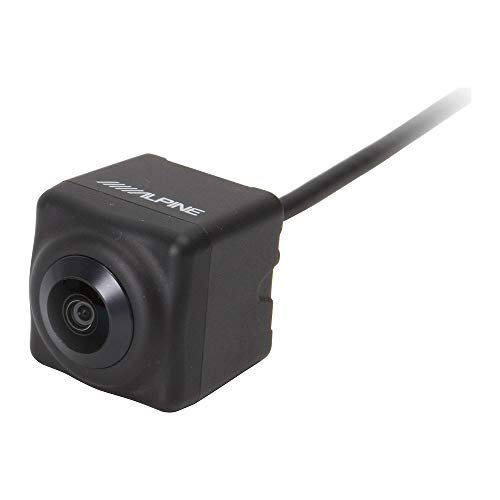
The Garmin BC40 is a handy wireless backup camera for drivers who own a compatible Garmin GPS navigator.
Backing into a tight parking spot can be hard. A tall SUV, pickup truck, or RV can hide small objects behind the vehicle. This makes a rear camera a useful tool for daily driving.
The Garmin BC40 aims to solve this problem without long video cables or complex wiring. It uses two AA batteries and sends video to a compatible Garmin GPS screen. For U.S. drivers who already own a supported Garmin device, this setup can be a simple way to add a rear view.

Is the Garmin BC40 Wireless Backup Camera Good?
The Garmin BC40 is a useful backup camera for the right buyer. Its main draw is its wireless link to a compatible Garmin GPS navigator. It also uses a license plate mount, so most users do not need to run a video cable through the vehicle.
I would put compatibility at the top of the buying checklist. The BC40 does not work as a stand-alone camera. You need a supported Garmin screen to view the rear image. Garmin lists a wireless range of up to 26 feet, which suits many passenger vehicles.
The camera uses two removable 1.5V AA batteries. Garmin recommends lithium cells. Its camera and transmitter also have an IPX7 water rating. These details make it a practical option for outdoor use, but battery changes remain part of ownership.
The main drawback is its closed system. If you use an aftermarket stereo or a phone for maps, this camera may not fit your setup. Buyers should also keep low-light image limits in mind. A camera view helps with parking, but it cannot replace mirrors or a direct check.

My First impression of the Garmin BC40
The BC40 has a small camera body and a simple rear plate mount. The design aims to keep the install neat. It does not need a long video cable between the rear of the car and the dash.
The package includes the camera and its license plate mounting bracket. Buyers should plan to get two suitable AA batteries, as they are not included. Garmin recommends regular 1.5V lithium AA batteries for the best results.
Setup starts with the batteries and the Garmin GPS screen. The camera enters pairing mode after the batteries go in. You then use the wireless camera menu on the supported navigator to add it.
Once paired, you can set the view and adjust the guide lines. The screen also lets you name the camera. The process is clear, but it does depend on having the right Garmin device and software.

What Makes It Stand Out? Key Features
- Wireless Video Connection: The BC40 sends its camera feed to a compatible Garmin GPS navigator over a wireless link. This removes the need for a long video cable between the rear camera and the dash. It makes the install easier in many vehicles. The stated range is up to 26 feet, though the car body and other signals can affect it.
- License Plate Mount: The included bracket lets you mount the camera near the rear license plate. This gives it a useful view of the area behind the vehicle. The camera snaps into its mount, which keeps the setup simple. Check your plate layout and local plate rules before fitting it.
- Two AA Battery Power: The camera runs on two removable 1.5V AA batteries. Garmin recommends lithium AA cells. The company lists up to three months of battery life with average use. Actual life depends on use and conditions. The batteries are not included, so remember to buy them separately.
- IPX7 Water Rating: The camera and transmitter carry an IPX7 water rating. This means they can handle the water exposure covered by that rating. It is a useful feature for a part mounted outside a vehicle. It does not mean the camera is safe from every type of damage or harsh road condition.
- Garmin GPS Screen Support: The BC40 displays its rear video on select Garmin GPS navigators. Supported models include some DriveSmart, Drive, RV, dezl, Tread, and zūmo devices. The full list changes by model and region. Check Garmin’s current compatibility list before buying.
- Voice Control: Some compatible Garmin navigators let you open the camera view with a voice command. You can also use the camera controls on the navigation screen. This can make the view easier to access when parking. Voice features depend on the paired navigator.
- Adjustable Guide Lines: The setup process lets you align the guide lines with your vehicle. These lines can help you judge where the vehicle may move as you reverse. They are a guide, not a sensor that detects objects. Check the view and your surroundings before moving.

✅ What I Like
- ✔ Wireless video removes the need to route a long camera cable from the rear of the vehicle to the dash.
- ✔ The included license plate mount gives buyers a simple place to fit the camera on many passenger vehicles.
- ✔ Two standard AA batteries make power changes simple and do not require a hardwired power supply.
- ✔ The IPX7 water rating adds useful protection for a camera that stays outside the vehicle.
- ✔ A stated wireless range of up to 26 feet makes the camera suitable for many cars, SUVs, and some larger vehicles within that limit.
- ✔ Voice control on supported Garmin devices can make the camera view easier to open.
- ✔ Adjustable guide lines help drivers judge their path when backing into a parking space.
- ✔ The camera can pair with supported Garmin navigation devices without the need for a separate camera monitor.
⚠️ What Could Be Better
- ✖ The BC40 only works with certain Garmin GPS navigators, which limits its appeal to drivers who use other screens.
- ✖ The two AA batteries are not included, and owners must check and replace them as needed.
- ✖ Wireless signals can face interference from vehicle wiring, other wireless devices, and parts of the vehicle body.

My Recommendation
I would consider the BC40 if I already owned a compatible Garmin GPS navigator. It offers a neat way to add a rear camera without running a long video cable. The battery-powered design also helps keep the install simple.
It makes less sense if you need a full camera system for an aftermarket stereo. In that case, a camera with its own monitor or a wired system may offer better value. Check the screen, camera mount, wireless range, and power needs before you buy.
I would also check the size of the vehicle. Garmin lists a range of up to 26 feet. A large truck, trailer, or RV may need a different setup if the camera and screen sit too far apart.
| Best For | Why It Fits |
|---|---|
| Garmin GPS Owners | It pairs with select Garmin navigators and uses their screen to show the rear camera feed. |
| SUV and Crossover Drivers | The rear plate mount and wireless link can make parking easier without a long video cable. |
| Drivers Who Want Simple Installation | The battery-powered camera avoids the need to run a video cable through the vehicle. |
| Small RV and Camper Owners | It may suit a vehicle within the stated wireless range that also uses a compatible Garmin screen. |
| Drivers Who Prefer a Clean Install | The wireless camera setup can reduce visible wiring between the rear of the vehicle and the dash. |
Alternative Products You Can Consider
| Product | Best For | Key Difference |
|---|---|---|
| Garmin BC40 | Drivers with a compatible Garmin GPS | Uses two AA batteries and sends video wirelessly to a supported Garmin navigator. |
| Garmin BC50 | Drivers who want a newer Garmin camera option | A different Garmin wireless camera model with its own compatibility requirements and a night vision version. |
| Garmin BC35 | Owners of supported older Garmin devices | Uses a camera transmitter and a cable-based receiver rather than the BC40 wireless arrangement. |
| Aftermarket Wired Backup Camera System | Drivers without a compatible Garmin navigator | Uses a separate screen or compatible car stereo and needs a wired video connection. |
Final Verdict: Which Backup Camera Should You Buy?
The Garmin BC40 is worth considering if you already own a compatible Garmin GPS navigator. Its wireless design, simple plate mount, and AA battery power make it a practical way to add a rear view. The IPX7 rating is another useful feature for an outdoor camera.
However, the Garmin screen requirement is a major limit. You cannot use this camera with just any car display or smartphone. You also need to manage the batteries and keep the wireless range in mind.
I would choose the BC40 for a compatible Garmin setup and a vehicle that fits its range. If you need a new screen, want a more flexible system, or drive a large RV, compare the BC50 and aftermarket camera kits first. The best choice is the one that works with your vehicle and screen without adding needless cost.