What Information An OBD2 Scanner Provides: Complete Guide
OBD2 scanners show engine trouble codes, live sensor readings, readiness status, and vehicle IDs.
I have worked on cars and diagnostics for years, and I know exactly what information an obd2 scanner provides and how it helps you fix problems fast. This guide breaks down every key data point, shows how to read it, and shares practical tips from real repair work so you can trust the results and act with confidence.

What an OBD2 Scanner Is and How It Connects
An OBD2 scanner is a tool that talks to your car’s computer through a standard port. It reads and reports data from the engine control unit and other modules.
OBD2 scanners use a standardized protocol. That makes the tool useful across many makes and models. In short, knowing what information an obd2 scanner provides helps you diagnose issues faster and with less guesswork.
Core Data Provided by OBD2 Scanners
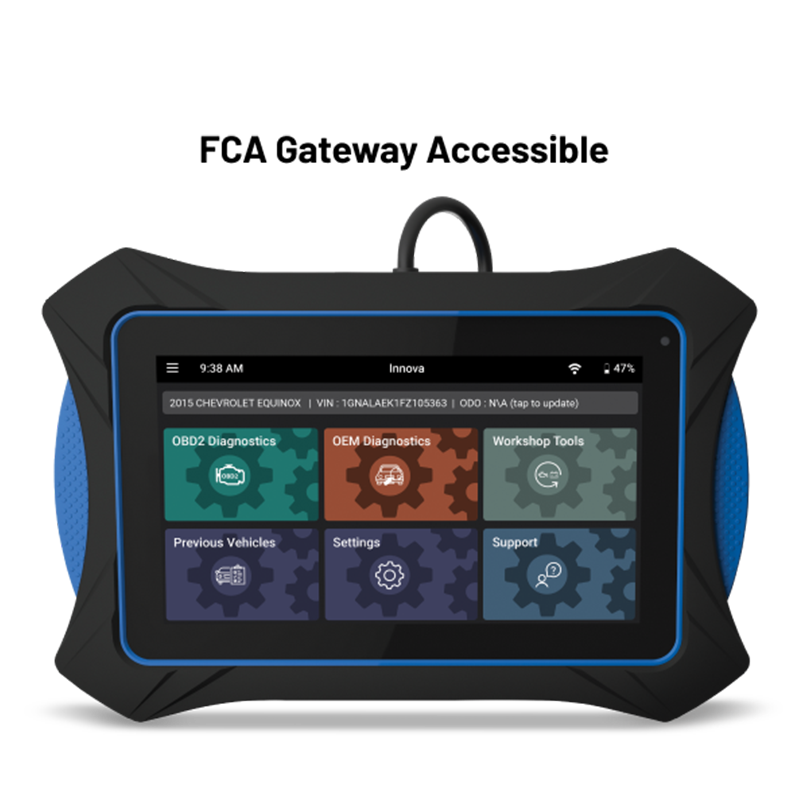
OBD2 tools give a clear set of data you can use right away. Here are the main items you will see.
- Diagnostic trouble codes and their descriptions.
- Live sensor values like RPM, coolant temperature, and air flow.
- Fuel system status and fuel trims.
- Oxygen sensor readings and catalytic converter status.
- Readiness monitors for emissions testing.
- Freeze frame snapshots captured when a code set.
- VIN and module identification data.
- Pending codes and misfire counts.
Knowing what information an obd2 scanner provides lets you prioritize fixes. You can see if a problem is sensor-based or mechanical before you start parts changes.

Understanding Diagnostic Trouble Codes (DTCs)
DTCs are short codes that point to a fault area. They follow a standard format like P0301 or P0420.
A code tells you where to look, but not always the root cause. Skilled use of what information an obd2 scanner provides means pairing codes with live data and tests to find the real fault.

Live Data and PIDs Explained
Live data is shown as parameters or PIDs (parameter IDs) that update many times per second. Typical values include engine RPM, vehicle speed, throttle position, MAF or MAP readings, and O2 sensor voltages.
Watch how those values change while you drive or while the engine runs idle. When you understand what information an obd2 scanner provides about live data, you can spot trends like rising coolant temps or erratic oxygen sensor signals that reveal deeper issues.
Freeze Frame, Readiness Monitors, and Emissions Data
Freeze frame is a snapshot of conditions when a code set. Readiness monitors show if the car has completed required emissions checks since the last battery disconnect.
These items matter for inspections and diagnosis. Use freeze frame and readiness to see why a check engine light came on and whether the car will pass emissions testing based on what information an obd2 scanner provides.

Vehicle Identification and Module Info
Most scanners read the VIN, calibration IDs, and module software versions. This helps confirm the correct tune and detect mismatched parts or flashed modules.
If you need parts or software updates, this is vital. It’s another layer of what information an obd2 scanner provides that keeps repairs accurate and avoids wrong parts orders.
Advanced Features and Add-ons
Higher-end scanners offer deeper access to ABS, airbags, transmissions, and body modules. They can run actuator tests, request live actuator status, and reset adaptations.
Some tools allow bi-directional control and coding of modules. When you know what information an obd2 scanner provides at this level, you can perform calibrated repairs and verify fixes without guesswork.

How to Use an OBD2 Scanner Effectively
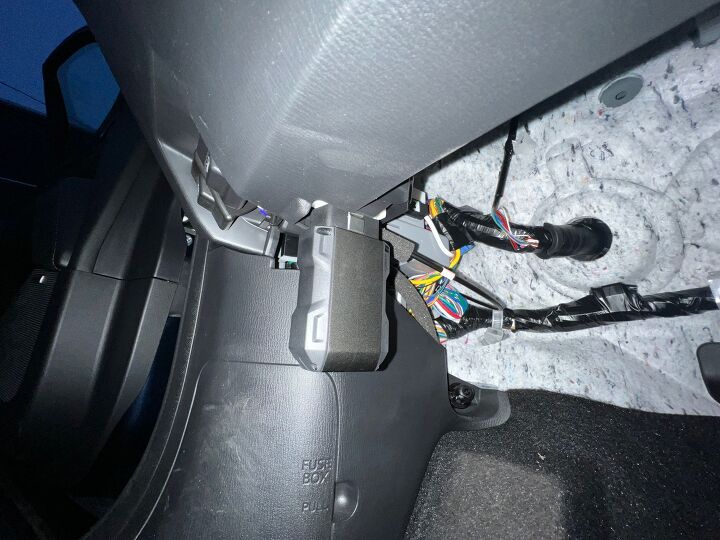
Plug the scanner into the OBD2 port, turn the ignition on, and follow the menu to read codes and live data. Save or write down codes before clearing anything.
From personal experience, I once diagnosed a rough idle that looked like an injector fault. The scanner showed a high fuel trim and a failing O2 sensor at the same time. Using what information an obd2 scanner provides, I replaced only the sensor and fixed the issue on the first try.
Limitations and Common Misconceptions
An OBD2 scanner points to problems but does not always explain cause. Some systems use manufacturer-specific data not visible on basic scanners.
Be aware of these gaps when you rely on what information an obd2 scanner provides. Always pair scanner data with simple mechanical checks and common-sense testing.
Maintenance Tips and Best Practices
Keep scanner software up to date and use a quality cable or adapter for stable data. Record codes and live data before clearing them so you can verify repairs later.
Remember to check readiness monitors after repairs to ensure the car completes its self-tests. These steps improve the accuracy of what information an obd2 scanner provides and save you time and money.
Frequently Asked Questions of what information an obd2 scanner provides
What types of codes will an OBD2 scanner show?
OBD2 scanners show generic and manufacturer-specific diagnostic trouble codes that indicate system faults. They also list pending and confirmed codes.
Can an OBD2 scanner tell me the exact part to replace?
A scanner points to the failing system or circuit but rarely names the exact part. Use live data and tests to confirm the root cause before buying parts.
Will a scanner clear my check engine light?
Yes, most scanners can clear stored and pending codes and reset the check engine light, but clearing codes may hide an unresolved issue. After clearing, drive the car to let readiness monitors run and confirm the fix.
Do all scanners read ABS and airbag codes?
Not all scanners read ABS and airbag systems; basic OBD2 tools usually read only engine-related modules. For safety systems, you need a scanner with extended coverage or dealer-level access.
Is a cheap Bluetooth OBD2 adapter good enough?
Cheap adapters work for basic code reads and simple live data, but they can be slow or unreliable for advanced tasks. For accurate diagnostics, invest in a reliable scanner you trust.
Conclusion
An OBD2 scanner is a powerful, practical tool that reveals trouble codes, live sensor data, VIN info, freeze frames, and readiness status. Learn what information an obd2 scanner provides, use it with simple tests, and you will cut time and expense from repairs. Start using a scanner on your next check engine light, update your tool’s software, and share your results or questions below to keep learning and improve your diagnostic skills.