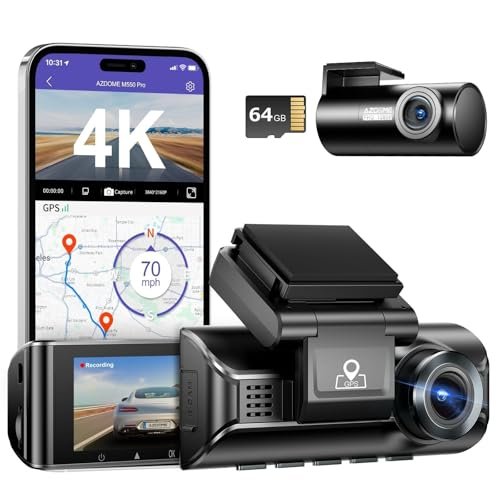
The AZDOME M550 Pro is worth considering for drivers who want 4K front and Full HD rear recording.
A small road crash can turn into a big problem. Another driver may deny fault, or someone may hit your parked car and leave. Without video, it can be hard to show what really happened. A dash cam can help by saving key moments on the road.
The AZDOME M550 Pro aims to make that job easier. It records the road ahead and behind your car. It also has GPS, Wi-Fi, and a built-in screen. For US drivers who spend long hours on busy roads, these tools can add useful peace of mind.

Is the AZDOME M550 Pro Good?
Yes, the AZDOME M550 Pro is a useful dual dash cam for drivers who want clear front and rear video. Its front camera can record in 4K. The rear camera records in Full HD. This gives drivers two views of the road without buying two separate dash cams.
The built-in GPS adds another useful layer. It can save trip data with recorded video. Wi-Fi also lets users connect the camera to a phone through the AZDOME app. The included 64GB memory card helps new buyers get started without buying a card at once.
I would put this model on the list for daily drivers, commuters, and road trip fans. Its main appeal is the mix of video, GPS, and phone access. The 3.18-inch screen also helps with basic setup and playback.
There are some limits to keep in mind. The parking mode needs a separate hardwire kit. The camera also needs steady power because it uses a supercapacitor instead of a large backup battery. Buyers should check the exact package and camera version before ordering.

My First Impression of the AZDOME M550 Pro
The listed package for this 2-channel model includes the front camera, rear camera, car charger, cables, tools, user guide, and a 64GB memory card. This gives buyers most of the basic parts for a standard front and rear setup. Package contents can vary, so check the current seller listing before purchase.
The camera has a compact black body and a 3.18-inch IPS screen. The screen gives users a way to view clips and change settings without always using a phone. Its size should also fit well on most windshields when placed with care.
Setup should be simple for most drivers. Mount the front camera, connect its power cable, and place the rear camera in a safe spot. Route the rear cable along the trim to keep it neat and away from moving parts.
The AZDOME app adds phone access through Wi-Fi. New users may need some time to learn the menus and video settings. I would suggest setting the date, time, GPS, and loop recording before the first trip.

Key Features of the AZDOME M550 Pro
- 4K Front Camera: The front camera supports UHD 4K video at 3840 x 2160 pixels. This gives road footage more detail than standard 1080p video. Clear video can help when you need to review road signs, lane changes, or events ahead. Good light, lens position, and a clean windshield still matter.
- Full HD Rear Camera: The included rear camera records in 1080p Full HD. It gives you another view of traffic behind your car. This can help when another driver follows too close or hits your vehicle from behind. Keep the rear lens clean for the best view.
- Built-In GPS: The GPS system can add location and speed data to your recordings. This can help you review where an event took place. AZDOME also offers GPS video playback tools for supported computers. Check the video settings if you do not want speed data shown on saved clips.
- 5GHz Wi-Fi and App Control: The camera supports 2.4GHz and 5GHz Wi-Fi. You can connect a phone through the AZDOME app to view and manage video files. This can save time when you need a clip. Wi-Fi is for camera access and does not mean the dash cam has built-in mobile internet.
- 3.18-Inch IPS Screen: The built-in screen lets you check the camera view and change settings. You can also review some saved clips on the device. It is useful when you want quick access without opening your phone. The screen is not a large display, so a computer may be better for close video review.
- G-Sensor and Emergency Recording: The built-in G-sensor can detect sudden movement or impact. When it detects a strong event, it can lock the related video file. This helps stop important clips from being erased by normal loop recording. The sensor level can affect how often files get locked.
- Loop Recording: Loop recording lets the camera keep recording when the memory card fills up. It replaces older unlocked files with new footage. This helps the camera work during daily drives without constant manual cleanup. Locked clips may need manual removal when storage runs low.
- Parking Mode Support: The camera supports parking monitoring when used with a compatible three-wire hardwire kit. Depending on the selected mode, it can record time-lapse footage or save a clip after an impact. The extra kit is not part of every package. Buyers should check the power setup before relying on this feature.
- Built-In Supercapacitor: The M550 Pro uses a supercapacitor rather than a large built-in battery. This helps the unit handle heat better than many small battery-based designs. It is still a powered device and needs a proper car power source to record. Do not expect it to run for long periods without external power.

✅ What I Like
- ✔ The 4K front camera offers detailed video for daily road use and accident review.
- ✔ The rear camera adds a second view, which helps document traffic behind the vehicle.
- ✔ Built-in GPS can add location and speed data to recorded trips.
- ✔ Dual-band Wi-Fi gives users a way to access footage through a phone.
- ✔ The included 64GB card reduces the need for an extra purchase at the start.
- ✔ The 3.18-inch IPS screen makes basic setup and video checks easier.
- ✔ The G-sensor can lock important clips after a detected impact.
- ✔ Loop recording helps keep the camera running when the memory card becomes full.
- ✔ The supercapacitor design is a useful choice for a device that stays in a hot car.
⚠️ What Could Be Better
- ✖ The parking mode needs a separate compatible hardwire kit, which adds cost and setup work.
- ✖ The rear camera records at 1080p, so it does not offer the same detail level as the front camera.
- ✖ The camera needs an external power source and cannot work like a long-running battery-powered camera.

Who Should Buy the AZDOME M550 Pro?
I would consider this camera if you want one device to cover both the front and rear of your car. The 4K front view is its main draw. GPS and Wi-Fi also make it more useful than a basic dash cam with no extra features.
It makes sense for people who drive to work, travel across states, or spend time on busy city roads. The rear camera adds another view when traffic gets close. The GPS data may also help when you need to review the details of a trip.
I would not buy it only for parking security unless I also planned to get the right hardwire kit. Buyers who want cabin video should also check the exact version. The Amazon product tied to the supplied link is the 2-channel front and rear model.
| Best For | Why It Fits |
|---|---|
| Daily Commuters | The front and rear cameras record two sides of the road during routine trips. GPS can also help track where an event took place. |
| Road Trip Drivers | The 4K front camera, rear recording, and GPS make it useful for long drives and travel records. |
| Rideshare Drivers | The two-camera setup can record the road ahead and traffic behind. However, it does not replace a cabin camera for recording the inside of the car. |
| New Dash Cam Buyers | The included memory card and built-in screen make it easier to start with a front and rear recording setup. |
| Drivers Who Want GPS Data | The built-in GPS can add useful trip details to saved footage and support later video review. |

Alternative Dash Cams You Can Consider
| Product | Best For | Key Difference |
|---|---|---|
| AZDOME M550 Pro | Drivers who want front and rear coverage with GPS | 4K front video, 1080p rear video, built-in GPS, and phone access. |
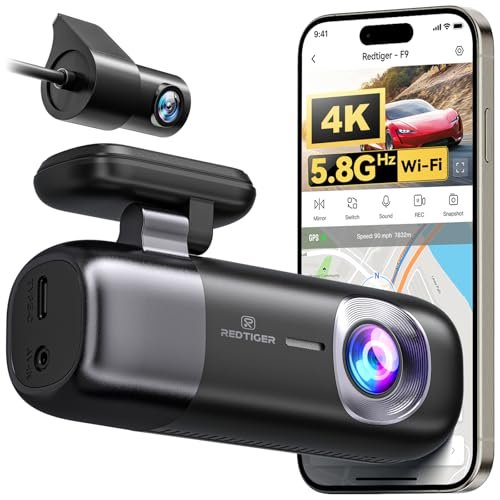
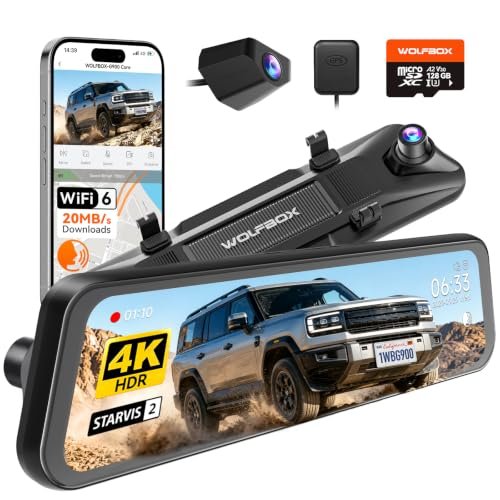
| VIOFO A229 Plus 2CH | Drivers who value advanced image features | Uses Sony STARVIS 2 sensors and offers HDR recording. |
| REDTIGER F7NP | Drivers comparing 4K dual dash cams | Another front and rear 4K dash cam option with GPS and Wi-Fi. |
| ROVE R2-4K | Drivers who mainly need front recording | A front-facing 4K setup without the same rear camera coverage. |

Final Verdict: Should You Buy the AZDOME M550 Pro?
The AZDOME M550 Pro is a solid option for drivers who want front and rear video in one package. Its 4K front camera is the main reason to consider it. The rear camera, GPS, Wi-Fi, and included memory card add more value to the setup.
I would choose it for daily driving, long trips, and general road safety records. It offers a useful mix of core features without making the setup too complex. However, buyers should not overlook the extra cost of a hardwire kit for parking mode.
If you need cabin recording for rideshare work, look at a three-channel model instead. If you want stronger low-light image tools, compare the VIOFO A229 Plus. But if your main goal is clear front video with rear coverage, the M550 Pro deserves a place on your shortlist.
My final advice is to check the exact 2-channel package, included card, and hardwire needs before you order. Also, set up loop recording and test both camera views before your first long drive. A dash cam is most useful when it is set up right and records when you need it.