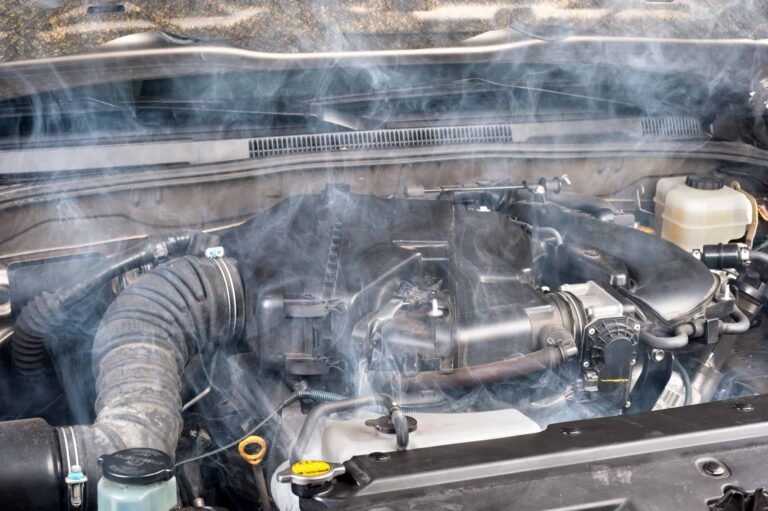
An engine cooling fan that runs constantly may have a faulty coolant temperature sensor, stuck fan relay, damaged control module, wiring fault, or an active air conditioning request. Some vehicles also run their fans after shutdown by design. Check the engine temperature and fan control signals before replacing parts.
If you drive in the United States, you may notice your engine fan running almost nonstop during hot summer days, heavy traffic, or long trips. A fan that runs after a drive is not always a problem. Many modern cars use electric cooling fans that respond to engine heat, air conditioning pressure, and other system needs.
However, the sound can become worrying when the fan starts at a cold engine, runs at full speed all the time, or keeps spinning after you park. It may even drain your car battery overnight. These signs can point to a problem with the cooling system or its electrical controls.
The first step is to learn when the fan should run. Then, check whether the engine is truly hot or whether the control system is asking for extra cooling by mistake. This guide explains the common causes, safe checks, repair options, and signs that call for professional help.
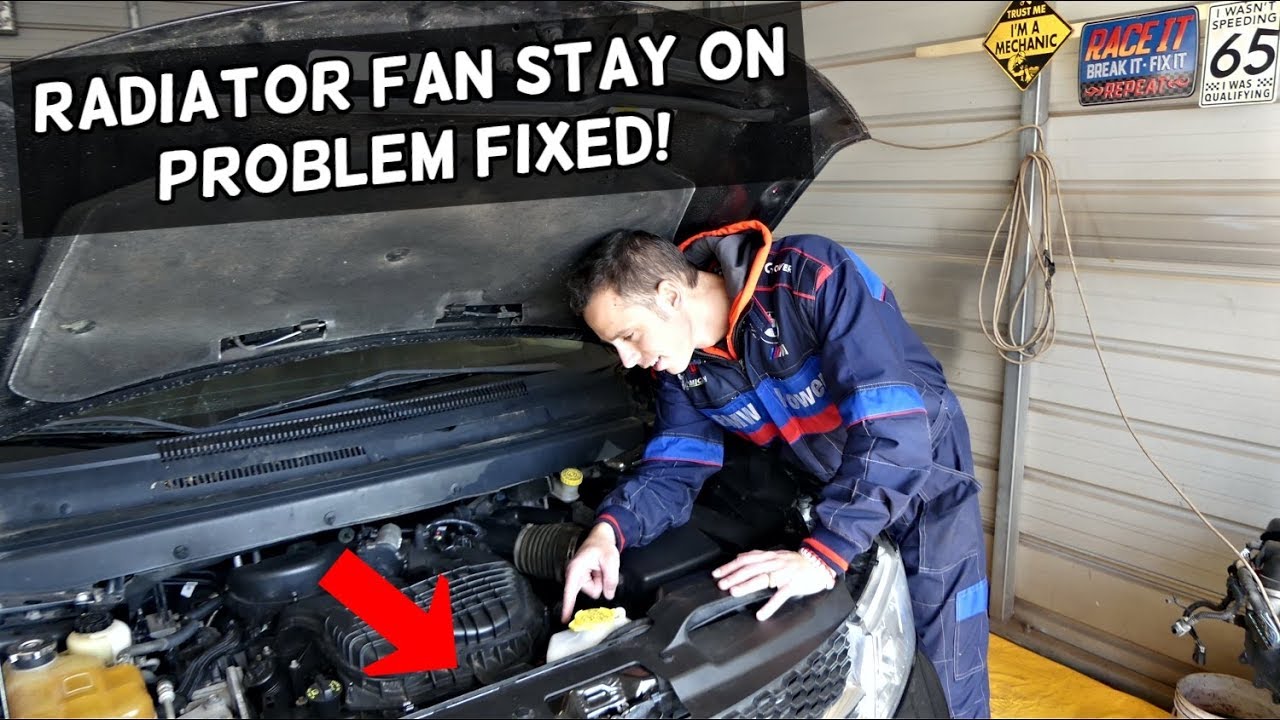
Source: adventurejeep.com
How Does an Engine Cooling Fan Work?
The engine cooling fan helps control heat in your vehicle. It pulls or pushes air through the radiator and air conditioning condenser. This airflow helps remove heat from the coolant and the refrigerant system.
Most modern cars, SUVs, and pickup trucks in the United States use electric cooling fans. A computer called the powertrain control module, or PCM, controls fan operation. It uses information from sensors to decide when the fan should start, stop, or change speed.
The engine coolant temperature sensor sends temperature data to the computer. The air conditioning system can also request fan operation when the condenser needs more airflow. Some vehicles use one fan, while others use two fans with several speed settings.
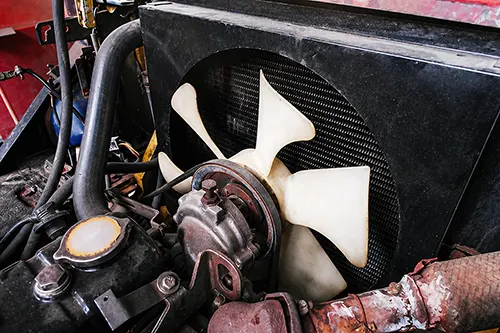
Older vehicles may use a mechanical fan connected to the engine by a belt and a fan clutch. This fan turns with the engine, but the clutch controls how strongly it engages. A failed clutch can keep the fan engaged when it should slow down.
Source: carfromjapan.com
Electric cooling fan
Runs when the engine computer or climate system requests airflow. It can operate at different speeds.
Mechanical cooling fan
Uses engine power through a belt and fan clutch. A stuck clutch may keep the fan engaged.
Fan control system
Uses temperature readings, air conditioning requests, relays, wiring, and control modules to manage fan operation.
When Should the Cooling Fan Turn On?
The fan usually starts when the coolant reaches a temperature set by the vehicle maker. It may also start when the air conditioning system needs extra airflow. The exact temperature and fan speed vary by engine and vehicle design.
The fan should slow down or stop when the cooling demand falls. Some systems adjust fan speed rather than switching it fully on or off. This is why a steady fan sound does not always mean a part has failed.
High coolant temperature
The fan removes heat when the engine reaches its programmed cooling range.
Air conditioning use
The fan helps cool the AC condenser, even when the engine itself is not very hot.
After-shutdown cooling
Some vehicles keep the fan running briefly after the engine stops to manage heat.
Is It Normal for the Engine Fan to Run Constantly?
Sometimes, yes. A cooling fan can run for long periods under certain driving and weather conditions. The key is to check when it runs, how fast it spins, and whether it stops when the cooling demand ends.
For example, a car that sits in stop-and-go traffic on a hot summer day may need more cooling than one moving at highway speed. When you drive faster, natural airflow through the radiator can reduce the need for fan operation.
Some vehicles also keep the fan running after you turn off the ignition. Ford owner information, for example, describes fan operation for several minutes after shutdown under certain conditions. Other vehicle designs may use after-run cooling for high engine heat or exhaust system needs.
Diesel vehicles with a particulate filter may also run the fan during or after a regeneration cycle. This process helps burn soot from the filter. A fan that runs briefly after a trip may therefore be part of normal operation.
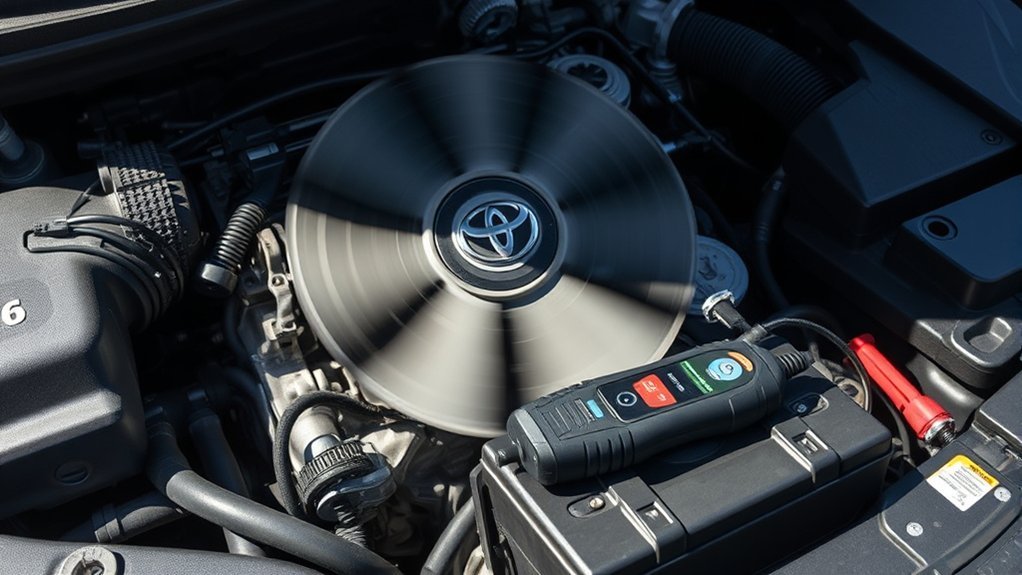
Source: ranwhenparked.net
Often normal
The fan runs while the AC is on, during hot weather, in slow traffic, or briefly after a demanding drive.
Needs investigation
The fan runs at full speed from a cold start, even with climate controls off, or continues running without stopping.
Possible battery problem
The fan keeps running long after shutdown and does not stop according to the vehicle’s normal after-run behavior.
Why Does the Fan Keep Running After You Turn Off the Car?
The engine bay can stay hot after the engine stops. Some vehicles use an after-run feature to move air through the radiator and reduce heat around certain parts. This can happen after towing, climbing a steep road, or driving in high temperatures.
The fan should stop according to the vehicle’s programmed cooling strategy. There is no single time limit that applies to every car. Check the owner’s manual for the expected behavior.
If the fan keeps running until the battery becomes weak, suspect a stuck relay, faulty control module, or electrical short. A normal cooling cycle should not leave the fan running indefinitely.
Normal after-run
The fan operates for a limited period and then stops by itself.
Possible electrical fault
The fan stays on for an unusually long time or starts again when the vehicle is parked and cold.
7 Common Causes of an Engine Fan That Runs Constantly
An electric fan that never switches off can have several causes. Some involve normal cooling requests, while others point to a failed sensor or electrical part. Finding the correct cause matters because replacing the fan motor may not solve the problem.
Start with the simple checks. Then move to the sensors, relay, wiring, and control module. This order can help avoid replacing good parts.
Source: storage.googleapis.com
1. Faulty Engine Coolant Temperature Sensor
The engine coolant temperature sensor, often called the ECT sensor, measures the temperature of the coolant. It sends this information to the engine computer. The computer uses the reading to manage fuel, engine operation, and cooling fan speed.
A damaged sensor may send an incorrect temperature reading. For example, the engine may be cold, but the computer may receive a reading that suggests it is too hot. The computer may then run the fan to protect the engine.
A damaged connector, corroded terminal, or broken sensor wire can create the same type of problem. A scan tool can help compare the reported coolant temperature with the actual engine condition.
The fan runs from a cold start, the temperature gauge acts strangely, or the check engine light appears.
Possible repair
Test the sensor and its wiring. Replace the sensor only when testing confirms that it has failed.
2. Stuck Cooling Fan Relay
The fan relay is an electrical switch that controls power to the cooling fan. Depending on the design, the engine computer uses the relay to switch the fan on and off or select a speed.
Relay contacts can wear, burn, or become stuck together. When the contacts remain closed, the fan may keep receiving power even after the engine computer stops requesting it.
A fan that continues running with the ignition off can point to a stuck relay. However, some vehicles have other power paths and fan control modules, so this symptom alone does not prove that the relay has failed.
Common signs
The fan keeps running after shutdown or operates even when the engine is cold and the AC is off.
Possible repair
Test the relay circuit and replace the relay if its contacts or operation are faulty.
3. Faulty Cooling Fan Control Module
Many newer vehicles use an electronic fan control module instead of a simple relay setup. This module controls fan speed based on commands from the engine computer.
An internal electronic fault can make the fan run at high speed all the time. It may also ignore a command to turn the fan off. Heat, moisture, damaged wiring, and poor electrical connections can affect the module.
Some fan assemblies have the control electronics built into the fan itself. In those vehicles, the correct repair may involve replacing a module or the complete fan assembly. The vehicle wiring diagram will help identify the design.
Common signs
The fan runs at one speed, ignores normal control commands, or operates even when the engine is cold.
Possible repair
Test the control signals, power supply, ground, and module before replacing any parts.
4. Damaged Wiring or Electrical Short
The cooling fan depends on wires and connectors to receive power and control signals. A damaged wire can create an unwanted electrical path. A short to power may keep the fan running even when the computer does not request it.
Corrosion, loose connectors, damaged insulation, water entry, and poor repairs can all affect the circuit. Heat near the radiator can also damage connectors over time.
Look for visible damage only when the engine is off and the area is safe to inspect. Electrical testing should follow the wiring diagram for your exact vehicle.
Common signs
The fan works in an unusual way, the fuse blows, or the problem starts after electrical work or an engine repair.
Possible repair
Repair damaged wires, clean or replace faulty connectors, and correct the source of the short.
5. Air Conditioning or Defrost Request
The air conditioning system can make the cooling fan run even when the engine is still cool. The fan sends air through the condenser, which helps release heat from the refrigerant.
Front windshield defrost can also request air conditioning on many vehicles. The system may do this to remove moisture from the cabin air and clear the glass. Some automatic climate systems activate these functions without the driver noticing.
If the fan stops after you switch off the AC and front defrost, the behavior may be normal. If it continues, the AC pressure sensor, climate control request, or related wiring may need testing.
Common signs
The fan runs whenever the AC or front defrost is active, even when the coolant is not hot.
Possible repair
Check the AC request and pressure data. Repair a faulty pressure sensor or related circuit if testing confirms the fault.
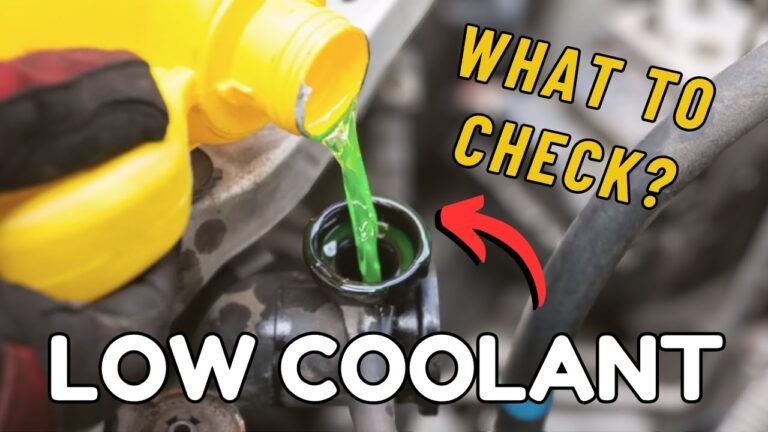
6. Low Coolant or Poor Cooling System Performance
Low coolant can make the engine overheat. When the computer detects high coolant temperature, it may keep the fan running to remove more heat. A coolant leak can also allow air into the system and affect temperature readings or coolant flow.
A blocked radiator, damaged water pump, stuck-closed thermostat, or air trapped in the cooling system can also reduce cooling performance. The fan may run correctly while another part of the system causes the heat problem.
A thermostat stuck open usually causes slow warm-up or a low operating temperature. It is not normally the first cause to suspect when an electric fan runs constantly. A thermostat stuck closed is more likely to cause overheating.
Common signs
The temperature gauge rises, coolant level drops, the heater behaves strangely, or coolant leaks appear.
Possible repair
Find and repair coolant leaks, test the thermostat and water pump, and restore the correct coolant level using the vehicle’s specified procedure.
7. A Mechanical Fan Clutch That Stays Engaged
Some older cars and trucks use a mechanical cooling fan with a temperature-sensitive clutch. The clutch controls how much engine power reaches the fan. It should allow the fan to slow down when extra cooling is not needed.
A worn or stuck fan clutch may keep the fan engaged at a high rate. This can create a loud rushing sound that rises with engine speed. You may also notice reduced fuel economy, extra engine noise, or slow warm-up.
A mechanical fan clutch is different from an electric fan relay. Replacing an electrical sensor will not fix a clutch that has mechanically locked up.
Common signs
A loud fan roar, fan noise that follows engine speed, or a fan that stays strongly engaged when the engine is cool.
Possible repair
Have the fan clutch checked against the vehicle’s service procedure and replace it if it fails.
How to Diagnose an Engine Fan That Will Not Stop
You can perform a few basic checks before paying for a repair. These checks help you understand whether the fan is responding to heat, an AC request, or a possible electrical fault.
Park the car on a level surface. Set the parking brake and keep children and pets away from the engine bay. Never touch a fan blade or reach near the fan while it has power. Electric fans can start without warning, even after the engine stops.
Do not remove the radiator cap or coolant reservoir cap while the engine is hot. The cooling system may contain hot fluid under pressure. Wait until the engine is fully cool before checking the coolant level.
Source: rxmechanic.com
Step 1: Turn Off the Air Conditioning
Switch off the AC, automatic climate mode, and front windshield defrost. Keep the cabin climate system off for this basic check.
Start the engine when it is cold and observe the fan from a safe distance. If the fan stops after the climate system is switched off, the AC request may explain its operation.
If the fan continues at high speed, move to the next check. Do not assume that the fan relay or motor is bad yet.
What to look for
Note whether the fan starts immediately, changes speed, or stops after the climate system is off.
Step 2: Check the Temperature Gauge
Watch the dashboard temperature gauge as the engine warms up. If it rises into the red zone or a high-temperature warning appears, stop driving as soon as it is safe.
A fan that runs constantly while the gauge stays normal may point to a sensor, control, or AC request issue. However, some dashboard gauges are designed to show a normal range rather than small temperature changes.
Do not rely on the gauge alone. A scan tool can show the temperature value that the engine computer is actually using.
Normal temperature
Continue with basic checks if there are no warning lights, leaks, steam, or signs of overheating.
High temperature
Stop safely, switch off the engine, and allow it to cool. Arrange further inspection before driving again.
Step 3: Inspect the Coolant Level When Cold
Once the engine is fully cool, check the coolant level in the reservoir. It should be between the minimum and maximum marks, according to the vehicle’s instructions.
If the level is low, look for signs of a leak around hoses, the radiator, the water pump, and the reservoir. A low level is a warning sign, not a complete diagnosis.
Use only the coolant type specified for your vehicle. Do not mix different coolant types without checking compatibility. If the system keeps losing coolant, find the leak rather than repeatedly topping it up.
Check for leaks
Look for wet areas, dried coolant deposits, damaged hoses, or a puddle under the vehicle.
Check the coolant type
Follow the owner’s manual for the correct coolant specification and filling process.
Step 4: Scan for Diagnostic Trouble Codes
An OBD-II scan tool can read trouble codes stored by the engine computer. It can also show live coolant temperature and, on supported vehicles, fan command data.
Codes such as P0115, P0116, P0117, and P0118 relate to the engine coolant temperature sensor circuit. Codes such as P0480, P0481, and P0482 relate to cooling fan control circuits on applicable vehicles.
These codes do not automatically prove that a particular part needs replacement. A code points toward a circuit or system that needs testing. Read the code along with live data and the manufacturer’s diagnostic instructions.
Check cold-engine data
After the vehicle sits overnight, compare the coolant temperature reading with the outside temperature and other available temperature readings. A large unexplained difference may point to a sensor or wiring fault.
Check fan command
See whether the engine computer is asking for the fan to run or whether the fan runs despite an off command.
Step 5: Inspect the Fan Relay and Wiring
Use the owner’s manual or service information to locate the fan fuse and relay, if the vehicle has separate components. Check for visible damage, melted connectors, corrosion, or loose wiring.
A relay with stuck contacts can keep the fan powered. A shorted wire or failed electronic module can cause a similar symptom. Some modern vehicles do not use a separate replaceable fan relay.
Do not randomly remove fuses, bridge terminals, or test high-current fan wires with improvised tools. Incorrect testing can damage the computer or cause burns and electrical injury. A technician can test the circuit safely with the correct wiring diagram and equipment.
Inspect the fuse
Look for a blown fuse or signs of heat damage. Replace a fuse only with the correct specified rating and investigate why it failed.
Inspect the connectors
Look for corrosion, loose pins, damaged insulation, and signs of water entry.
Step 6: Test the Fan With a Scan Tool
A professional scan tool may allow a technician to command the cooling fan at different speeds. This test can help separate a fan motor problem from a control problem.
If the fan responds to a command but keeps running when the computer requests it to stop, the technician can check the relay, module, wiring, and other power paths. If the computer itself keeps requesting the fan, the next step is to find the reason for that request.
The technician should also check AC pressure data and coolant temperature data when the vehicle supports these readings. This avoids replacing a working fan assembly when the real fault is a sensor or control signal.
Fan follows commands
The motor and basic power path may be working. The technician should investigate why the vehicle requests continuous operation.
Fan ignores commands
The relay, control module, wiring, or integrated fan electronics may need further testing.
How to Fix an Engine Cooling Fan That Runs All the Time
The correct repair depends on the test results. A fan that runs constantly does not always need a new fan motor. The motor may be working exactly as designed while another part sends the wrong signal or keeps power flowing.
Start by fixing the confirmed cause. After the repair, clear any relevant trouble codes and repeat the tests. Make sure the fan can turn on when cooling is needed and stop or slow down when the demand ends.
Source: 7zap.com
Replace a faulty coolant temperature sensor
Use the correct sensor for the vehicle and inspect the connector and wiring. Recheck live temperature data after installation.
Replace a damaged fan relay
Install the correct relay and inspect its socket for heat damage or corrosion.
Repair the fan control module
Test power, ground, command signals, and module operation before replacing the module or complete fan assembly.
Repair damaged wiring
Restore damaged wires and connectors using proper automotive repair methods. Protect the repaired area from heat, moisture, and vibration.
Fix the AC system fault
Check the pressure sensor, refrigerant pressure, and AC control request. Refrigerant work should be handled with suitable recovery and charging equipment.
Repair the cooling system
Find coolant leaks, test the thermostat and water pump, clear radiator airflow restrictions, and bleed the system when required.
Replace a faulty mechanical fan clutch
Use the vehicle’s specified inspection method to confirm that the clutch stays engaged when it should release.
Should You Replace the Fan Motor?
Not without testing it first. A cooling fan motor that runs constantly may still be healthy. The problem may be a stuck relay or a control module that keeps sending power to the motor.
A worn motor is more likely to show symptoms such as unusual grinding, excessive vibration, slow operation, or failure to start. A technician should check the motor’s electrical supply and current draw before recommending replacement.
Replacing the wrong part can waste money and leave the original problem in place. A proper diagnosis is often less costly than guessing.
Replace the motor when
Testing confirms that the motor has an internal electrical or mechanical failure.
Check other parts when
The motor operates normally but receives an unwanted or continuous power command.
Can You Drive With the Engine Fan Running Constantly?
You may be able to drive a short distance if the engine temperature stays normal, there are no warning lights, and the fan is operating as part of a normal cooling request. However, a fan that runs constantly because of an unknown fault should not be ignored.
A fan that stays on can increase electrical load and may contribute to a weak battery if it continues running after shutdown. It can also hide a separate cooling problem. The fact that the fan is running does not prove that the radiator, water pump, or thermostat is working correctly.
If the temperature gauge rises, a high-temperature warning appears, steam comes from under the hood, or coolant leaks heavily, stop in a safe place and switch off the engine. Continuing to drive an overheating vehicle can cause severe engine damage.
Do not keep driving simply because the fan is loud or appears to move plenty of air. A cooling system needs proper coolant flow, pressure, and airflow to protect the engine.
Source: autoreviewnest.com
Stop driving immediately
The engine overheats, steam appears, the coolant warning activates, or the vehicle loses power.
Arrange prompt inspection
The fan runs at full speed from a cold start, stays on after shutdown, or repeatedly drains the battery.
Monitor normal operation
The fan runs during AC use or a short after-run cycle, then stops as expected with no warning signs.
What Happens if You Ignore the Problem?
A stuck fan relay or electrical fault can drain the battery. You may find that the car will not start after it sits overnight. Repeated battery discharge can also shorten battery life.
If the fan is running because the engine is overheating, ignoring the cause can lead to coolant loss, head gasket damage, warped engine parts, or other costly repairs.
A mechanical fan clutch that stays engaged may also create excess noise and use more engine power than needed. The exact effect depends on the vehicle and the condition of the clutch.
Battery drain
A fan that continues running while parked can use battery power and leave the vehicle unable to start.
Engine damage
A fan that cannot keep up with a failing cooling system will not prevent damage from severe overheating.
Extra wear and noise
A locked mechanical fan clutch may create excessive noise and unnecessary engine load.
Common Mistakes to Avoid During Fan Troubleshooting
Cooling fan problems can lead to unnecessary repairs when the wrong part is blamed. A few simple mistakes can also create new electrical or safety problems.
Use the vehicle’s service information and test the system before buying replacement parts. Keep the following points in mind.
Replacing the fan without testing it
The fan may be working correctly. A stuck relay, sensor fault, or control module may be the real cause.
Assuming every after-run cycle is a fault
Some vehicles are designed to run the fan after shutdown. Check the owner’s manual and the length of the normal cooling cycle.
Opening the radiator cap while hot
Hot coolant and steam can escape under pressure and cause severe burns. Wait until the engine is fully cool.
Removing the fan fuse as a permanent fix
This can disable needed cooling and cause the engine to overheat. A fuse should never be removed to hide an unresolved fault.
Ignoring the air conditioning system
The AC and defrost functions can request fan operation. Check these settings before assuming the engine temperature sensor has failed.
Guessing from a trouble code
A diagnostic code points to a system or circuit. It does not always identify the failed component.
Touching the fan to see whether it is running
The fan can start without warning. Never place your hands, tools, or clothing near the blades.
When Should You Visit an Auto Repair Shop?
Visit a qualified repair shop when the fan keeps running despite basic checks, when the vehicle has an electrical fault, or when the cooling system shows signs of overheating. Modern fan circuits can use electronic modules, variable-speed motors, and computer-controlled signals that need proper test equipment.
A good diagnostic process should identify why the fan is running before the technician recommends a repair. Ask for the stored trouble codes, live coolant temperature, fan command status, and the results of relay or module tests.
If the engine overheats or loses coolant, ask for a cooling system inspection. A pressure test may help locate a leak. Further tests may be needed to check the thermostat, water pump, radiator, and coolant flow.
For AC-related fan operation, ask the technician to check refrigerant pressure and the AC request signal. Do not release refrigerant into the air or open a pressurized AC line yourself.
Electrical diagnosis
Ask for testing of the coolant sensor, fan relay, control module, wiring, and power supply.
Cooling system diagnosis
Ask for a coolant level check, leak inspection, pressure test, and checks of coolant flow and radiator condition.
AC system diagnosis
Ask for a check of AC pressure readings and the signals that request cooling fan operation.
Mechanical fan inspection
If the vehicle uses a belt-driven fan, ask for an inspection of the fan clutch, belt, and fan blades.
How to Prevent Cooling Fan Problems
Regular cooling system care can reduce the risk of fan problems. It cannot prevent every electrical failure, but it helps keep the engine within its normal temperature range.
Check coolant levels at the intervals listed in your owner’s manual. Look for leaks, cracked hoses, damaged clamps, and signs of corrosion. Use the correct coolant and follow the recommended replacement schedule.
Keep the radiator and AC condenser clear of leaves, dirt, and road debris. Blocked airflow can make the cooling system work harder, especially during summer driving and long trips.
Pay attention to new sounds from the engine bay. A fan that becomes unusually loud, a temperature gauge that changes, or an unexplained battery drain deserves attention.
If you tow a trailer, carry heavy loads, or often drive in stop-and-go traffic, follow the maintenance schedule for those conditions. Some vehicles require more frequent checks under severe service conditions.
Check coolant regularly
Inspect the reservoir when the engine is cold and use the correct coolant specification.
Keep airflow clear
Remove loose leaves and visible debris from the radiator and condenser area when the engine is off and cool.
Inspect electrical connections
Have damaged connectors, loose wiring, and signs of corrosion repaired.
Watch for warning signs
Do not ignore temperature warnings, coolant leaks, unusual fan noise, or repeated battery drain.
What to Check Before Paying for a Fan Repair
Before approving a repair, make sure the shop has identified the reason for continuous fan operation. A clear diagnosis can prevent the replacement of parts that still work.
The most useful evidence is the relationship between the fan command and actual fan operation. If the computer asks for the fan to run, the technician should explain which input caused that request. If the computer asks for the fan to stop but the fan keeps running, the power and control circuit needs further testing.
Also ask whether the vehicle has a normal after-run feature. This matters because some drivers mistake a designed cooling cycle for a fault. The correct answer depends on the vehicle’s year, make, model, and engine.
Ask for the fault codes
Get the code numbers and a clear explanation of what each code means for your vehicle.
Ask for live data results
Confirm the reported coolant temperature and whether the engine computer requests fan operation.
Ask what testing confirmed the failed part
The shop should explain how it ruled out the sensor, relay, wiring, module, AC request, or cooling system.
Ask for a post-repair test
The fan should respond correctly to temperature and AC demands and stop according to the vehicle’s normal strategy.
Frequently Asked Questions
Q
Why does my engine fan run constantly even when the engine is cold?
A cooling fan that runs from a cold start may have a faulty coolant temperature sensor, damaged wiring, stuck relay, or failed fan control module. The engine computer may also activate the fan as a protective measure when it cannot trust a temperature signal.
First, switch off the AC and front defrost. Then check the stored trouble codes and live coolant temperature. If the fan still runs at full speed, arrange an electrical diagnosis.
Q
Is it normal for a radiator fan to run after turning off the engine?
Yes, this can be normal. Some vehicles keep the fan running for a short time after shutdown to remove heat from the engine bay or support other cooling needs.
The exact run time depends on the vehicle. Check the owner’s manual for its normal behavior. If the fan runs without stopping or drains the battery, have the relay, control module, and wiring checked.
Q
Can a bad coolant temperature sensor make the fan run all the time?
Yes. A faulty coolant temperature sensor can send incorrect information to the engine computer. The computer may respond by running the fan continuously to protect the engine.
A damaged connector or wire can produce similar symptoms. Use a scan tool to compare the reported coolant temperature with the actual engine condition before replacing the sensor.
Q
Can low coolant cause the engine fan to run constantly?
Yes, low coolant can lead to overheating and longer fan operation. A leak or trapped air may also affect coolant flow and temperature readings.
Check the coolant level only after the engine is fully cool. If the level is low, look for a leak and repair the cause. Do not simply keep adding coolant without finding out why it is disappearing.
Q
Can a bad thermostat make the cooling fan run continuously?
A thermostat stuck closed can restrict coolant flow and cause the engine to overheat. The fan may then run for long periods as it tries to remove heat.
A thermostat stuck open usually causes slow engine warm-up or a lower operating temperature. It is not normally the main reason an electric fan runs constantly. Test the thermostat and the rest of the cooling system before replacing it.
Q
Will a constantly running engine fan drain the car battery?
Yes. An electric cooling fan uses battery power. If it continues running after the engine is off, it can weaken or drain the battery.
A stuck relay, faulty control module, or wiring short may cause this problem. Do not disconnect or remove parts as a permanent fix. Have the circuit checked and repaired.
Q
Should I replace the radiator fan if it never stops running?
Not automatically. The fan motor may be working correctly while a sensor, relay, control module, or wiring fault keeps it powered.
A technician should test the fan command, power supply, and control circuit. Replace the fan assembly only if testing confirms a fault in the motor or integrated electronics.
Q
Does turning on the car AC make the radiator fan run?
Yes. Many vehicles turn on the cooling fan when the AC system needs airflow through the condenser. This can happen even when the engine coolant is still cool.
Front windshield defrost may also activate the AC system on some vehicles. If the fan operates only during these conditions and stops normally afterward, it may be working as designed.
✦ Wrapping Up
Conclusion
An engine cooling fan that runs constantly can be normal in some situations, but it can also point to a cooling or electrical fault. AC use, hot weather, and after-shutdown cooling can explain some fan activity. A faulty coolant temperature sensor, stuck relay, damaged wiring, or failed control module can explain other cases.
Start with simple checks. Switch off the AC and defrost, watch the temperature gauge, and inspect the coolant level when the engine is cold. If the fan continues at full speed, use a scan tool or visit a qualified mechanic to test the temperature readings and fan control circuit.
Do not ignore overheating, coolant leaks, or a fan that runs until the battery becomes weak. Finding the real cause early can prevent further damage and help you avoid unnecessary parts replacement.
💡 Key Takeaway
Start the engine only when it is safe and cold, switch off the AC and front defrost, and observe the fan from a safe distance. If it still runs constantly, check the coolant level when cold and arrange a scan of the coolant temperature, fan command, relay, and control module. Stop driving if the engine overheats or shows a high-temperature warning.
About john Adword
John Adword has tested and reviewed car seat covers and interior accessories for 5 years, evaluating fit, material performance, and long-term wear across a range of vehicles and climates. His testing approach follows the same methodology used across car Reviewer Plus's product reviews — hands-on installation, real-world use, and comparison against manufacturer claims — with an ongoing focus on tracking new seat cover materials and cooling technology as they come to market.